Question: How do I play a cassette tape on the Laser Portable Cassette Player?
Answer:
Model reference: SP-CASPLB-322
Applies to: SP-CASPLB-322
To play a cassette tape on the Laser Portable Cassette Player with Bluetooth - Black:
1. Plug the headphones into the headphone jack.
2. If headphones are not connected, the built-in speaker will play the sound.
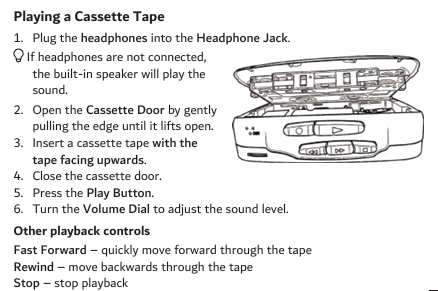
3. Open the cassette door by gently pulling the edge until it lifts open.
4. Insert a cassette tape with the tape facing upwards.
5. Close the cassette door.
6. Press the Play button.
7. Turn the volume dial to adjust the sound level.
Playback controls:
- Fast Forward quickly moves forward through the tape.
- Rewind moves backwards through the tape.
- Stop stops playback.
The cassette player also includes an automatic stop system. When the tape reaches the end, the Play button releases automatically and the tape stops moving.
Was this article helpful?
That’s Great!
Thank you for your feedback
Sorry! We couldn't be helpful
Thank you for your feedback
Feedback sent
We appreciate your effort and will try to fix the article