Question: What do the icons and numbers on the LCD screen mean?
Answer:
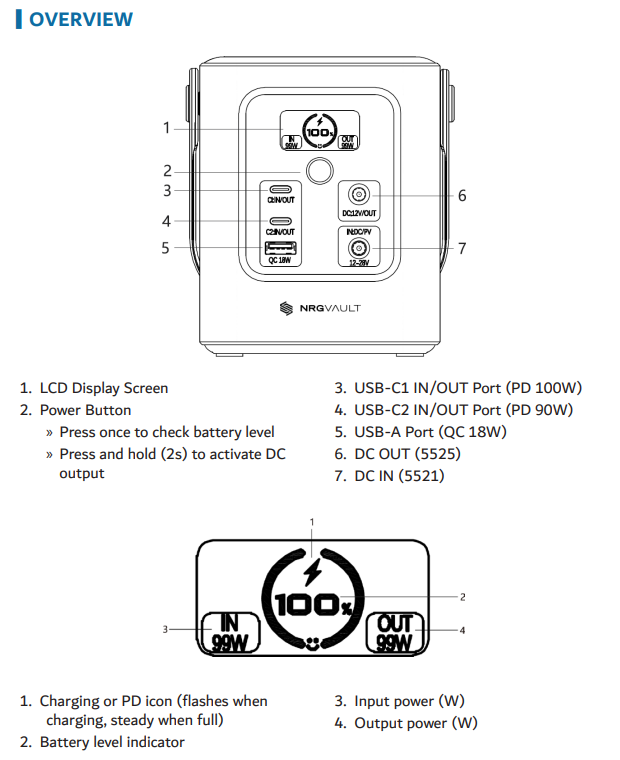
The LCD display provides real-time power information:
Charging or PD icon: Flashes while charging and stays solid when fully charged.
Battery level indicator: Shows remaining battery percentage.
Input power (W): Displays how much power is being received.
Output power (W): Shows how much power is being supplied to connected devices.
These indicators help you monitor performance and power usage on the NRGVault 100W Portable Power Station.
Was this article helpful?
That’s Great!
Thank you for your feedback
Sorry! We couldn't be helpful
Thank you for your feedback
Feedback sent
We appreciate your effort and will try to fix the article