Question: How do I turn the Laser Smart Gaming Projector on or off?
Answer:
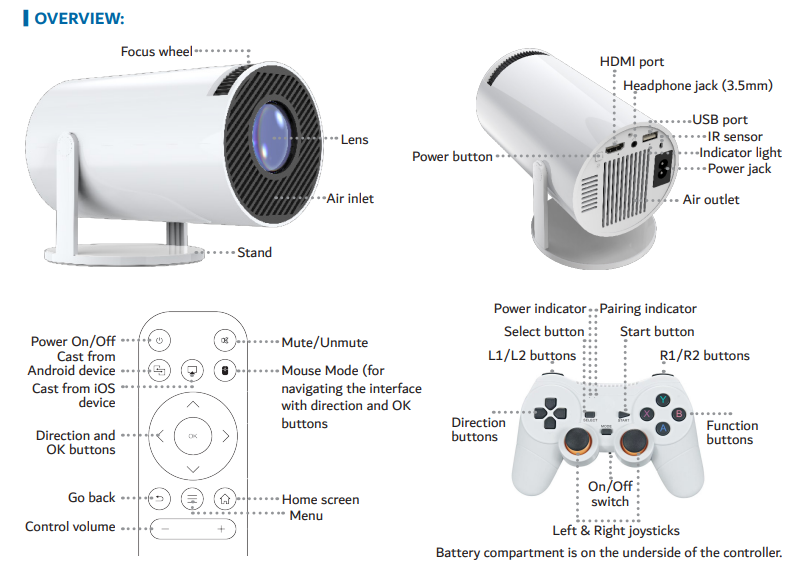
To turn the projector on, plug in the AC power cable. The indicator light will show red in standby and blue when powered on. Press the Power button on either the projector or remote to turn it on or off .
Mention: This applies to the Laser Smart Projector with Games White.
Was this article helpful?
That’s Great!
Thank you for your feedback
Sorry! We couldn't be helpful
Thank you for your feedback
Feedback sent
We appreciate your effort and will try to fix the article