Question: How do I turn the powerbank on or off?
Answer:
Model reference: PB-LP20BK-585
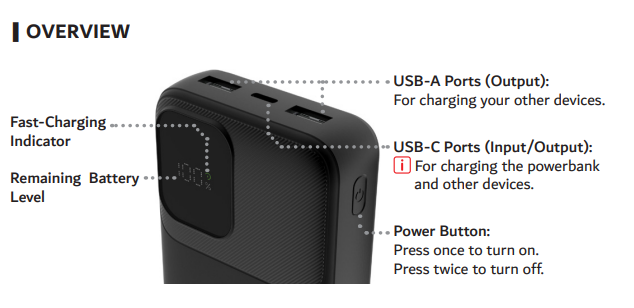
Press the power button once to turn on.
Press the power button twice to turn off.
If your device is connected, the powerbank can begin charging when the device is plugged in.
This guidance applies to the full product name Laser 20K LifePO4 Powerbank Black.
Was this article helpful?
That’s Great!
Thank you for your feedback
Sorry! We couldn't be helpful
Thank you for your feedback
Feedback sent
We appreciate your effort and will try to fix the article