Question: How do I use the AC output on the NRGVault 150W Power Station?
Answer:
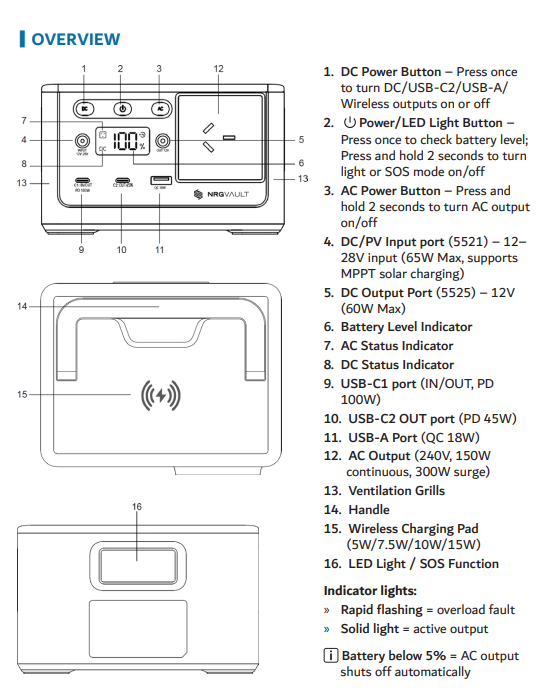
Connect a device rated under 150W using the appropriate AC cable.
Press and hold the AC Power Button for 2 seconds.
The AC status indicator will show when AC output is active.
If the load exceeds 150W, the DC output shuts down first, followed by USB outputs if needed.
This applies to the NRGVault 150W Portable Power Station Black.
Was this article helpful?
That’s Great!
Thank you for your feedback
Sorry! We couldn't be helpful
Thank you for your feedback
Feedback sent
We appreciate your effort and will try to fix the article